How to install .ipa file on iPhone
An .ipa file is a specific format on iOS devices which stores an iOS app. And the .ipa file can only be installed on the iOS devices. To install and run these third-party apps on your iPhone or iPad, you need to learn the following procedures first.
Step 1
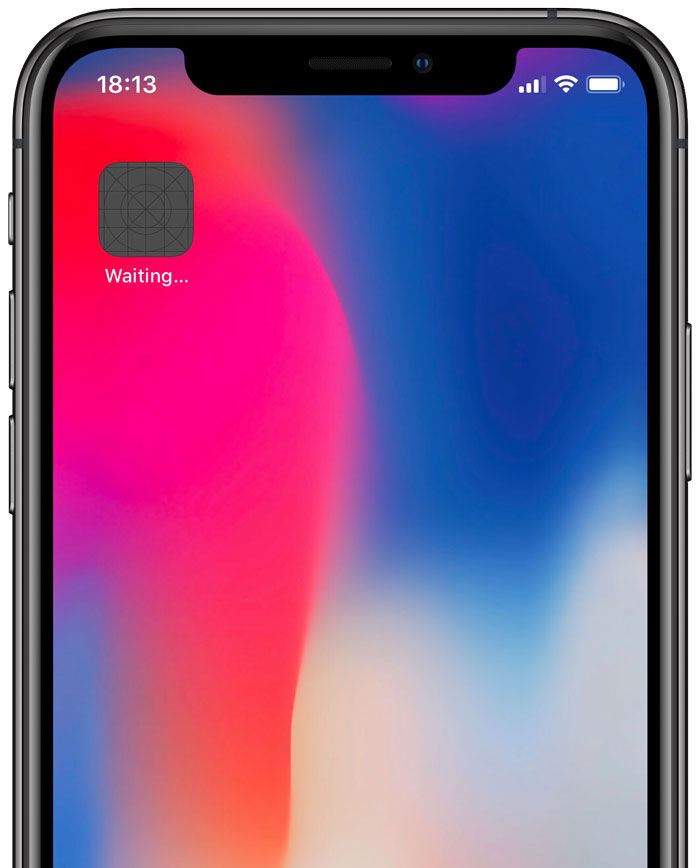
Step 1: When users open the link and click “Install” on the popup window to start installing the .ipa file, a grey app icon will show up on the home screen of the iPhone or iPad. Wait until the installation progress is completed, or tap the icon to start the installation manually if it is on “Waiting…” process for a long time.
 Step 2
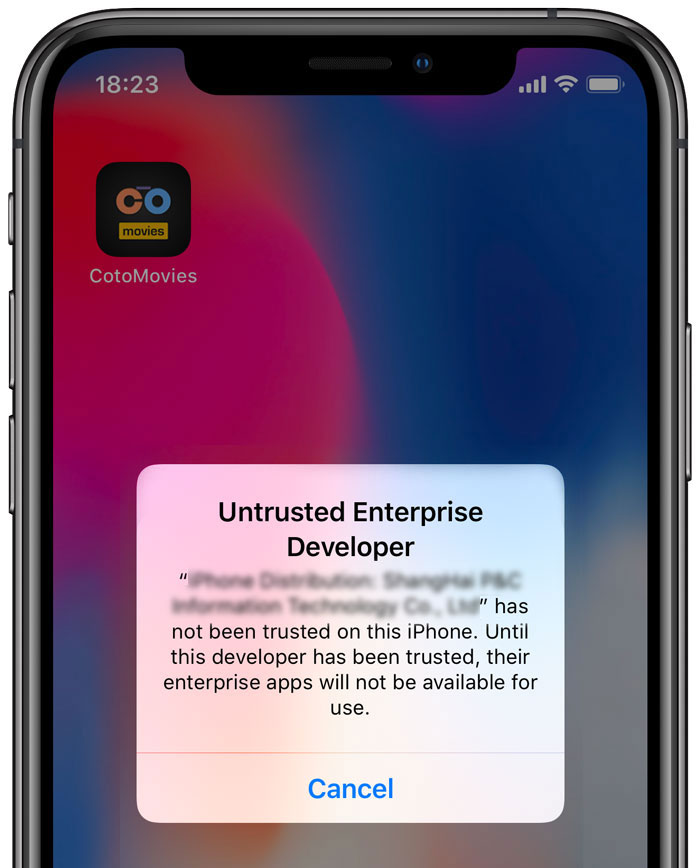
: When the app completes the installation, you still cannot use the app as it has not been trusted on the iOS device. Therefore you need to trust the enterprise developer before running the app.
 Step 3
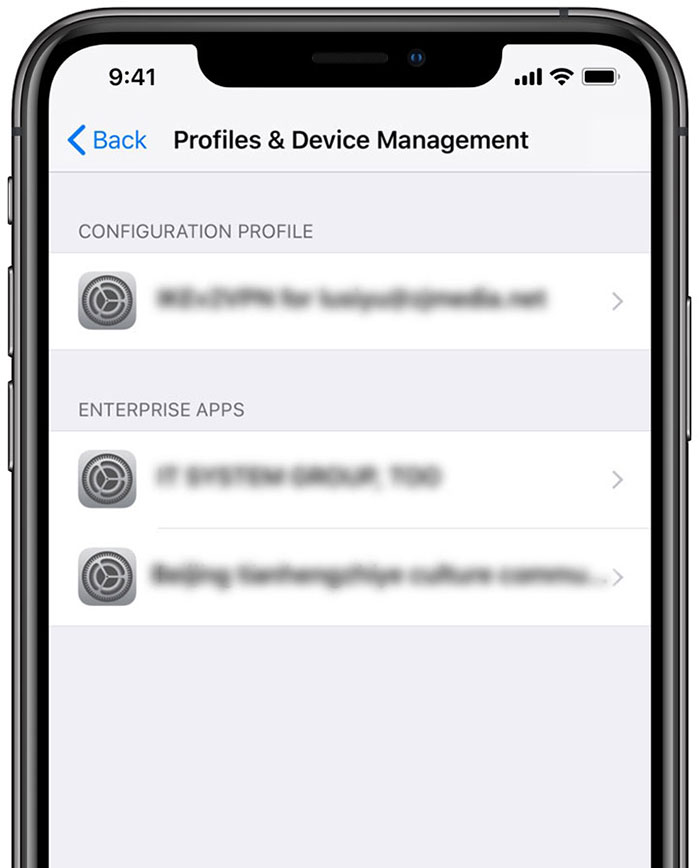
: To trust the enterprise developer, go to the home screen and tap Settings > General > Profile & Device Management; you will see the developer of this .ipa file under "Enterprise Apps".
 Step 4
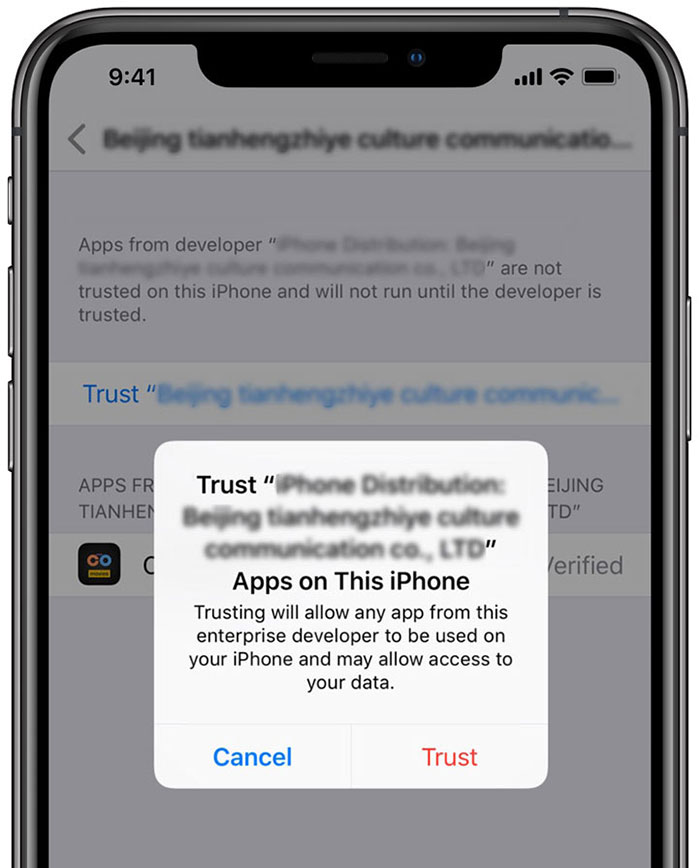
: Tap the Enterprise name and then tap “Trust” on the pop up window to confirm your choice.
 Step 5
: Go back to the home screen and tap the app icon. Now you can have fun with the app on the iOS device.
The most common issues on .ipa file installation
Why doesn't the iOS install popup appear after tapping "Install on Device" button?
Please check if you have already installed the same app from the App Store, if so, the same file cannot be installed again due to the security behavior by Apple in iOS 8 or above. Delete the app from the App Store and you will be able to install the .ipa file from AppPure.
After tapping "Install" button on the install popup, what to do when nothing seems to happen?
Go back to the homescreen to see if the app icon is already there. After iOS 8, there is no notice on Safari when the app is in process in the background.
Why does the app fail to open after installation?
Either the profile is expired or the device's UDID or iOS version is incompatible with the app.
What to do when "Untrusted Enterprise Develoeper" popup appears after tapping the app?
Go to Settings > General > Profile & Device Management, tap the Enterprise name and then tap “Trust”.