How to install .apk file on Android device
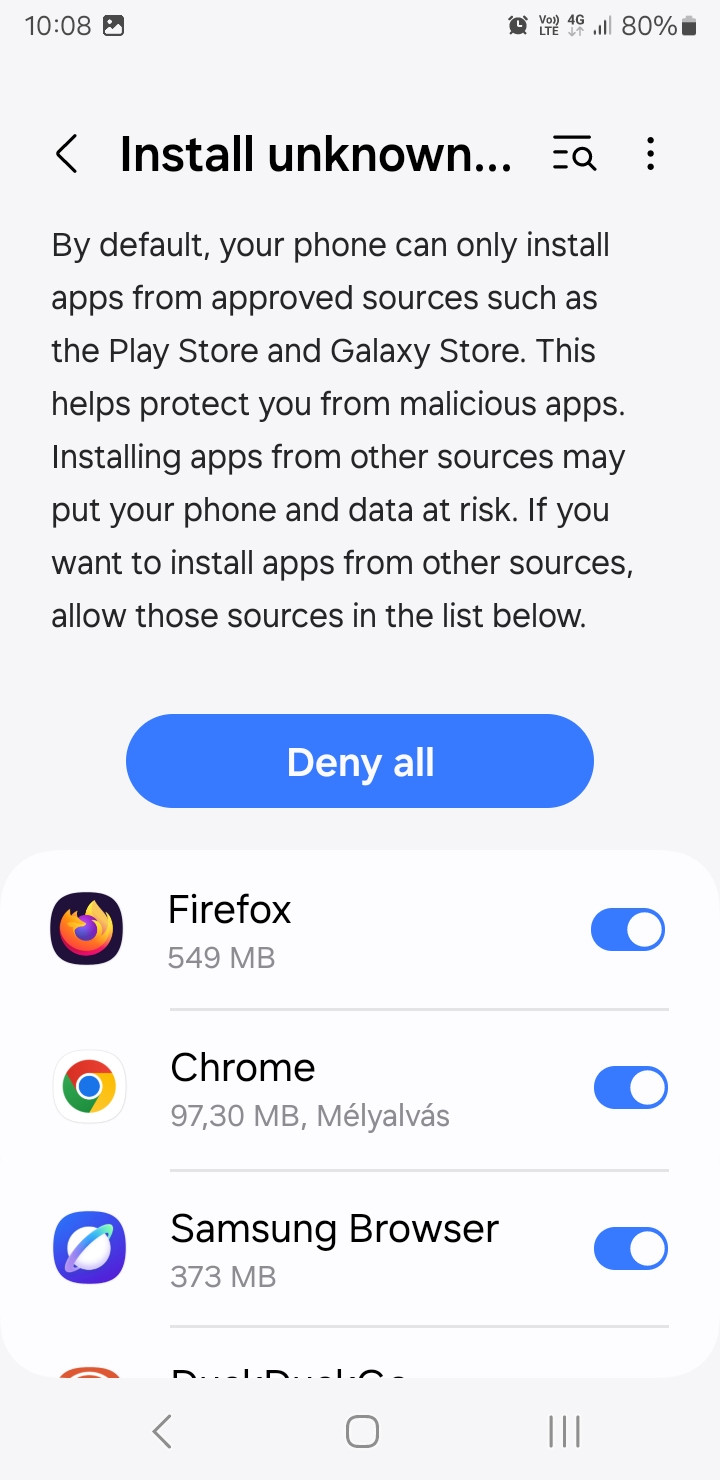
APK (Android Package) is a standard package file format most widely used on Android smartphones to distribute and install mobile applications. APK file is officially recognized on your Android device by default installer. However you may need to enable to install unknown apps for your chrome or firefox or Samsung browser, see below how.
Step 1
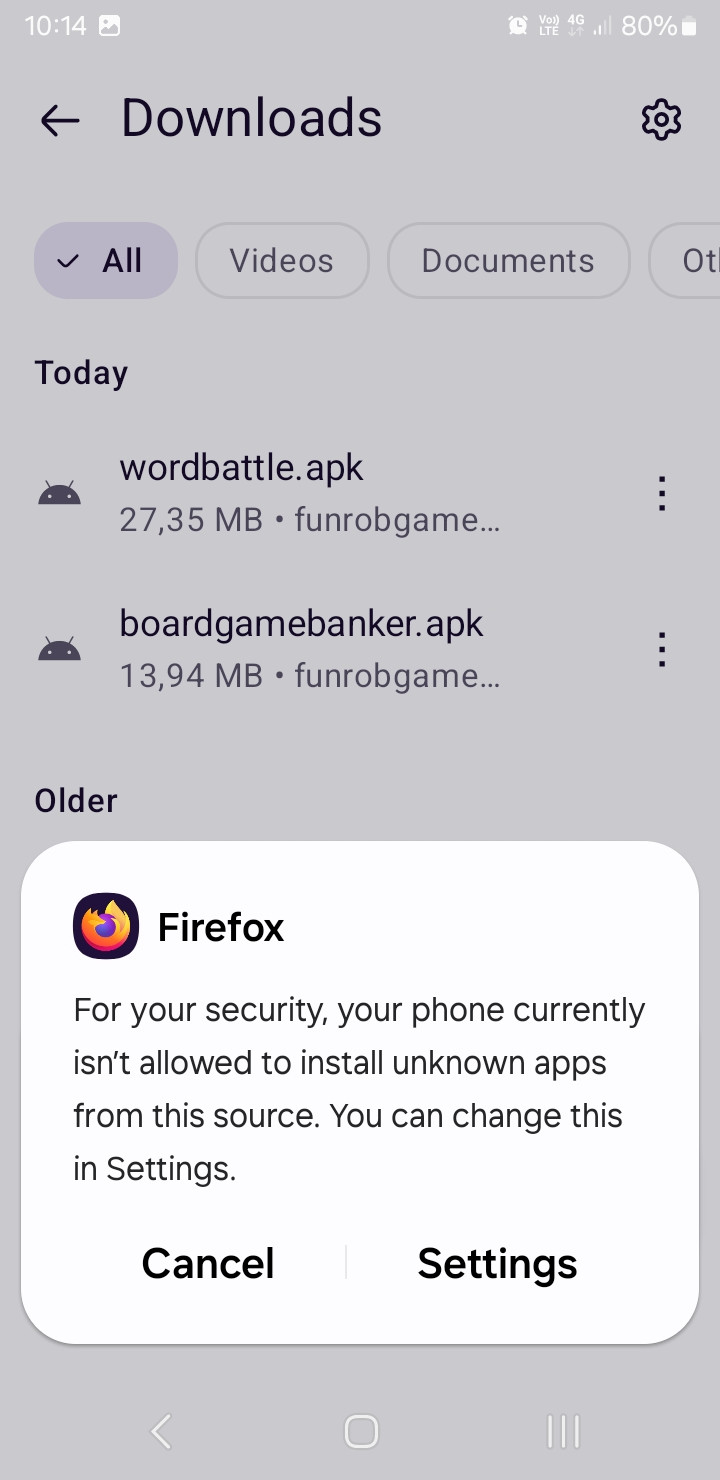
After you downloaded the apk, in Firefox or Chrome go to the Downloads menu, click on the apk, and if there is a popup window about security, press the settings button.
 Step 2
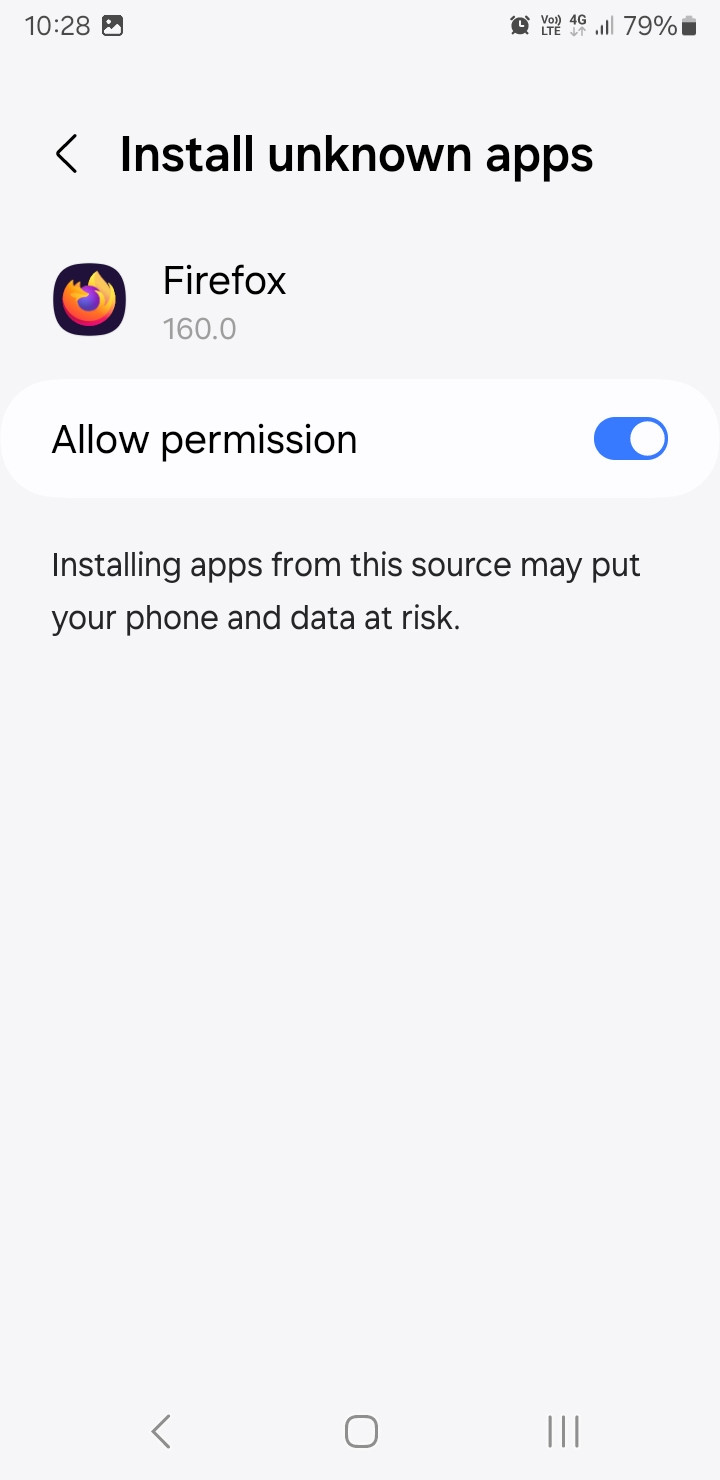
Turn on the switch to allow permission to install unknown apps for your Firefox or Chrome or Samsung browser.
 Alternative solution
Alternatively you can enable to install unknown apps for your Chrome or Firefox or Samsung browser in the following menu:
Settings / Security and privacy / More security settings / Install unknown apps